Filtering by tag: #sofa ✕ Clear
Avatar
Shawn Hickman Sep 15, 2025

It has officially been 10 years since I launched the very first version of Sofa 🤯.

It’s genuinely wild to see where Sofa is today. What started out as a simple tool for keeping track of movies to watch, has grown into a full-featured product for organizing your downtime experiences.

If you’ve ever used, looked at, talked about, shared, or even thought about Sofa, thank you. I’m so lucky for this to be my job ❤️.

Avatar
Shawn Hickman Apr 2, 2025

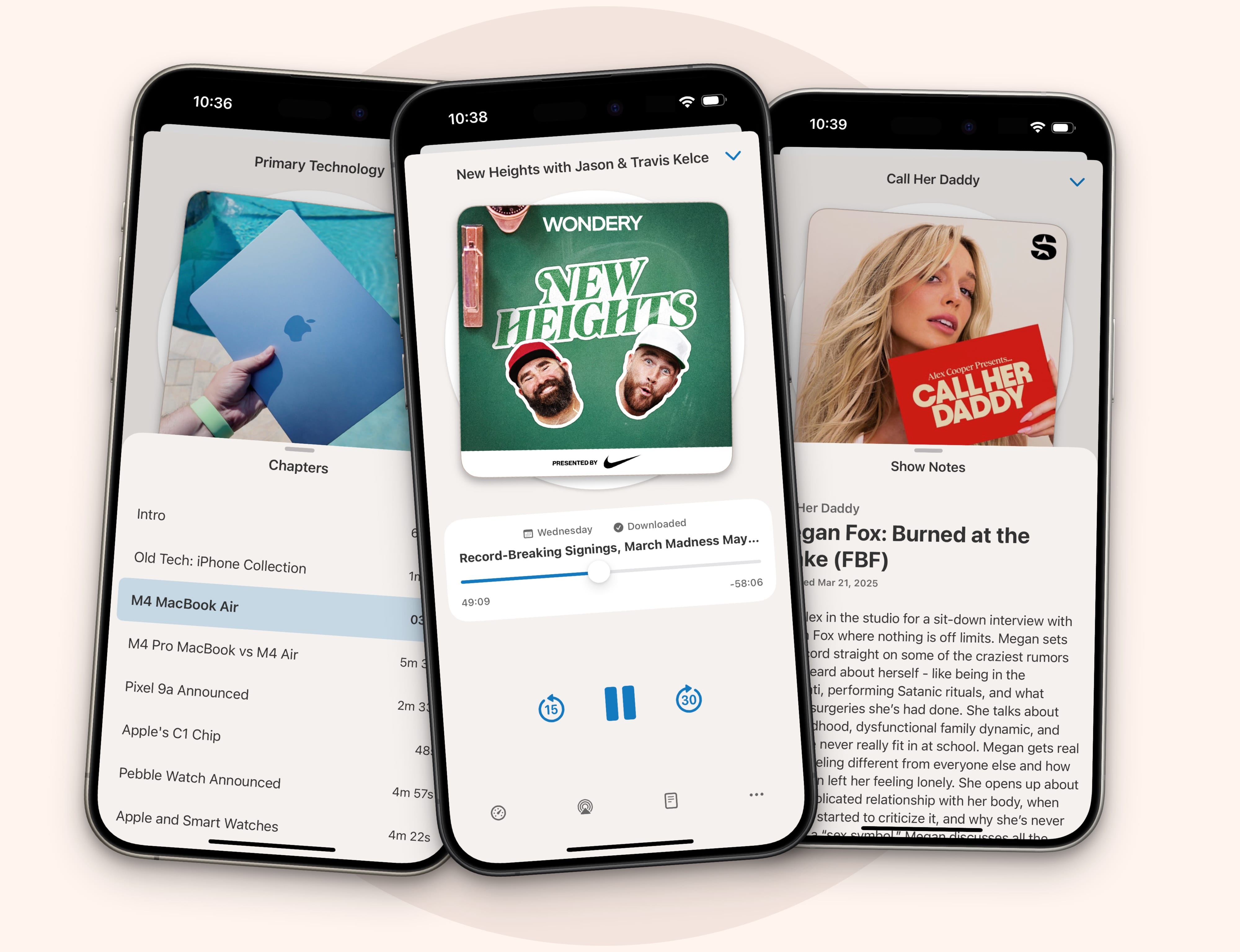
podcast-player-nice-way-to-listen.jpg

As of today, Sofa comes with a full-featured podcast player that can easily be your primary way of listening to your favorite shows.

Here’s a quick rundown of what you get:

  • Add your favorite podcasts

  • Easily manage your “Up Next” queue

  • Simple controls, chapter selection, show notes, and more

  • Create custom playlists

  • Plenty of settings to configure things just how you like

  • Fine-tune settings for individual podcasts

  • Listen while you drive with CarPlay

  • Widgets and shortcuts for quick access

All of this works across iOS, iPadOS, macOS, and visionOS. Head over to the Sofa Podcast Player page to learn more.


Why Make a Podcast Player?

This is quite a big addition to Sofa, and one I’ve been working on since the summer of 2024. So why do it?

First, I personally love podcasts and listen to them every day. Podcast listening is such a core part of my daily routine, and I have wanted to build my own podcast player for a long time. While I didn’t know if it would be its own app or integrated with Sofa, I knew I wanted to make one.

Second, integrating the podcast player into Sofa creates a really nice “downtime bundle”. Instead of having to use multiple apps for overlapping “downtime activities”, you can do a lot of it in Sofa (not everything, but a lot of it).

This bundle is a simpler, more integrated experience, and doesn’t require multiple subscriptions. It really is a natural extension to what Sofa already does.


Are You A Podcaster?

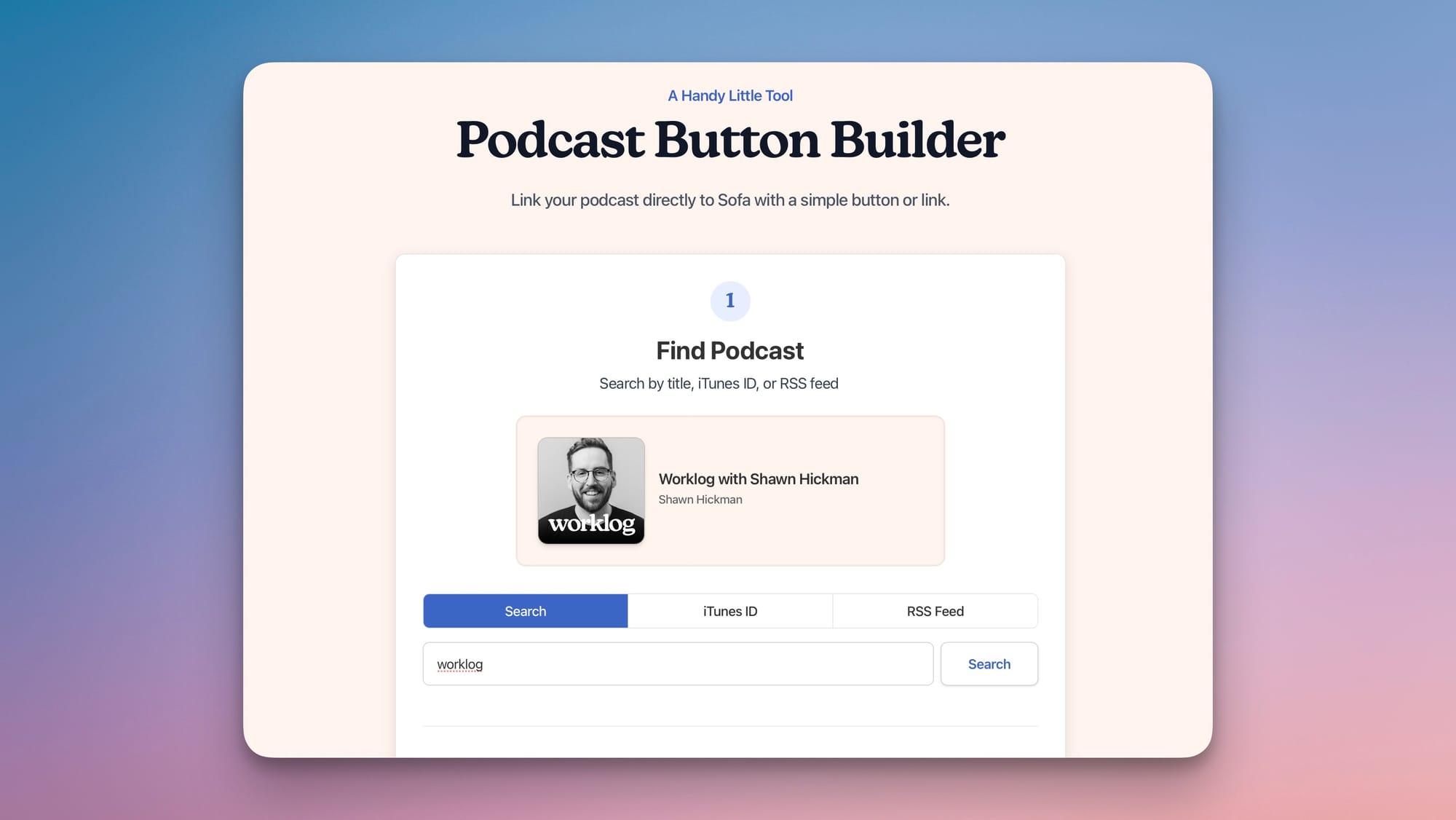
If you have your own podcast, and would like to provide your listeners with a “Listen on Sofa” button or link, I built a handy tool for you.

Head over to the Sofa Podcast Button Builder, and make a “Listen on Sofa” button for your show in just a few seconds.

When listeners click the “Listen on Sofa” button, it will automatically open your podcast in Sofa for them to subscribe to. If they don’t have Sofa installed, they will be redirected to Sofa’s website showing details about your podcast.

Here’s an example linking to my “Worklog” podcast:

Listen on Sofa


You can read the full release notes here, and download the update from the App Store.

Avatar
Shawn Hickman Apr 1, 2025

If you’re a podcaster, I built a handy little tool on Sofa's website to help you easily create a “Listen On Sofa” button for your podcast.

There are different styles to suit your website’s design or you can simply copy the link and use it however you like.

This button will directly link to a “subscribe” page in Sofa when people click on it.

I hope it’s helpful!

Avatar
Shawn Hickman Jan 17, 2025

In this video, I dive into the realities of building an app: why starting is the easy (and fun) part, and why the real challenge lies in growing and maintaining it over time.

I’ll talk about the excitement of launching a new project, the hurdles you’ll face when life gets busy or progress feels slow, and how setting the right expectations can make all the difference. I’ll share tips on building sustainable systems, celebrating small wins, and staying motivated when you hit technical, emotional, or mental roadblocks.

Whether you’re creating your first app or struggling to keep going, this video is here to remind you to enjoy the process and keep moving forward.

Listen in your favorite podcast player

Avatar
Shawn Hickman May 2, 2024

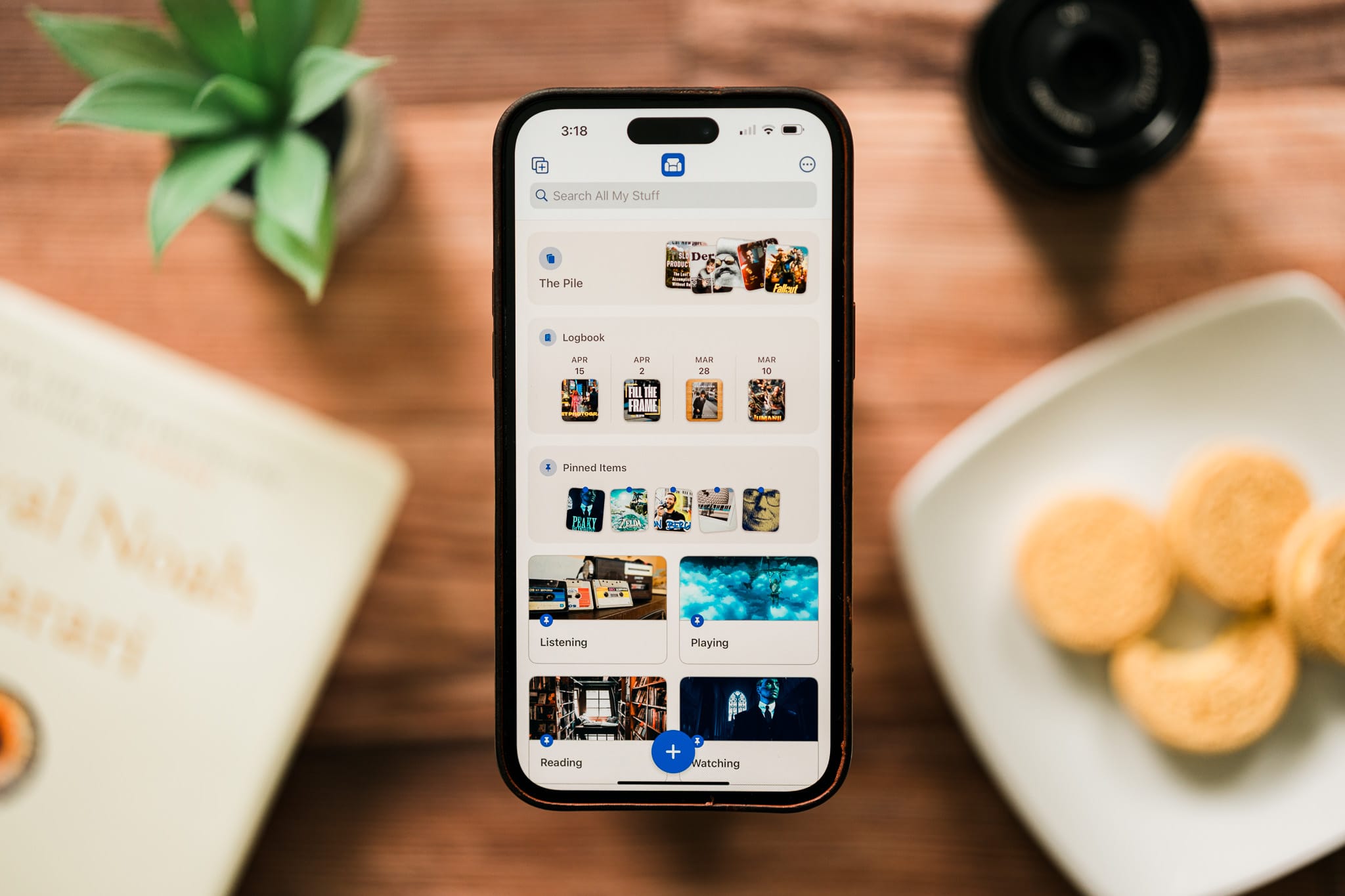
sofa-4-home.jpgI started working on Sofa 4.0 323 days ago 🙃. It feels good to finally ship all this fun stuff out!

With 4.0, you can add basically anything, and expand Sofa to fit your exact needs with Custom Categories, Ingredients, and Smart Lists. I have a page on the Sofa website with all the details.

Sofa 4.0 - Sofa

To celebrate the launch, I'm running a 40% off sale for the Super Sofa annual plan. The sale ends Saturday, May 5, 2024. Use this link from your iOS device to redeem the sale.


Sofa 4.0 Love

There have been a few really great reviews of Sofa 4.0 that you might be interested in checking out.

John Voorhees over at MacStories showed how he's using Sofa to keep track of places and restaurants in his local area.

Sofa 4.0: A Customizable Downtime Tracker Without Compromises

Stephen Robles did an awesome deep-dive video showing all the new stuff in Sofa 4.0 and how he's using it to track what to watch with his family.

9to5Mac had a nice little review too.

Award-winning ‘Sofa’ downtime organizer gets major update with new UI, custom categories, more - 9to5Mac

Avatar
Shawn Hickman Sep 2, 2023

My video this week is a little messy, but I think it shows how this past week was for me…messy. Working through my board games data provider going away has been stressful, but in the end I think Sofa is going to be a more resilient app because of it.

Avatar
Shawn Hickman Jul 7, 2023

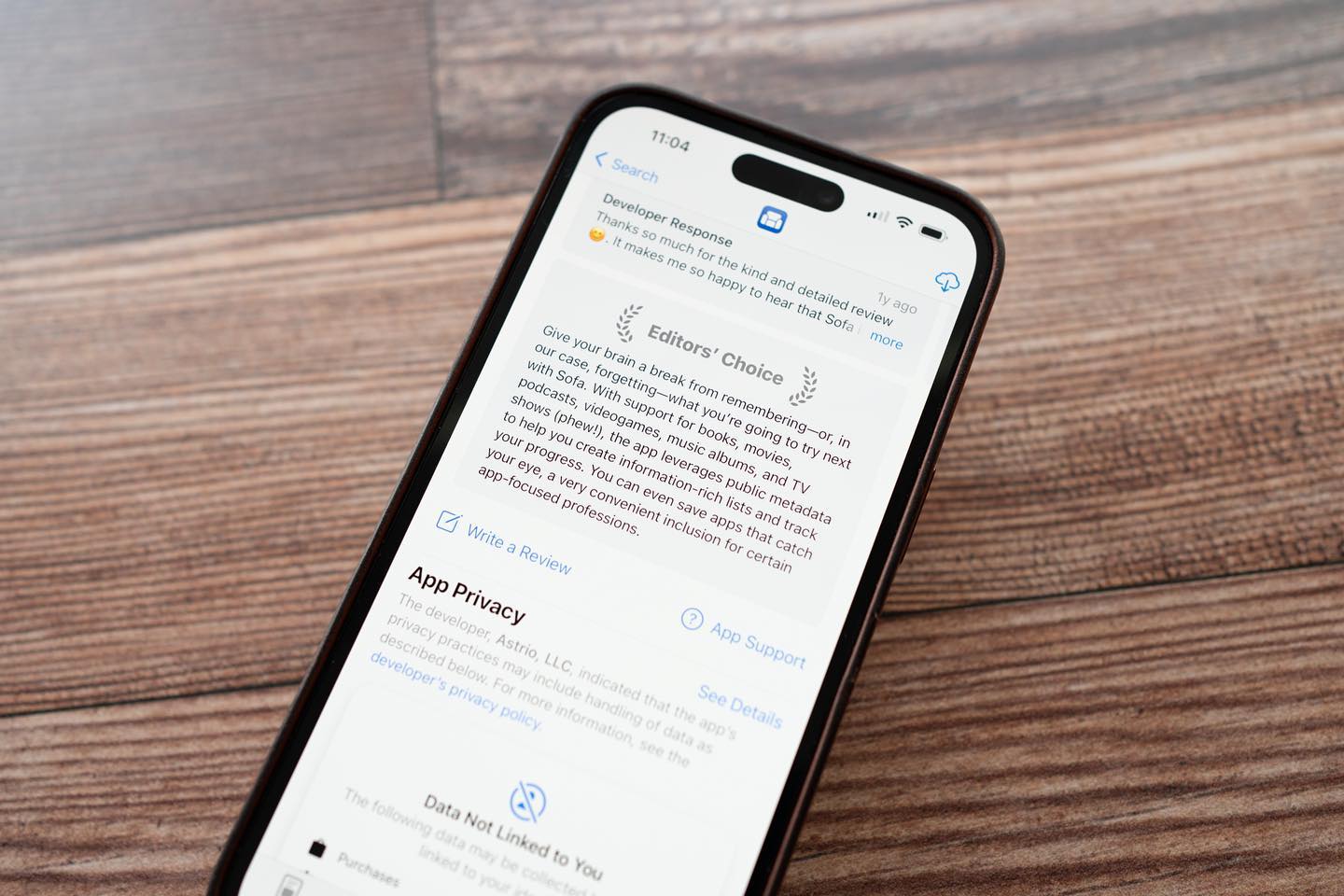
I don’t know when this happened, but Sofa has an Editors’ Choice badge in the App Store 🤯. Completely wild to see something like this.

Avatar
Shawn Hickman May 19, 2023

Hey gang 👋, I’m finishing up some much needed downtime after almost of year straight of grinding out a bunch of big Sofa updates. I also need to rest up because a href="https://developer.apple.com/wwdc23/?utm_source=sofa&utm_medium=email">

Back in December of 2022, I released a huge update that brought shared lists, better shortcuts support, streaming providers for movies and tv shows, and lock screen widgets. a href="https://www.sofahq.com/blog/shared-lists-shortcuts-and-more/?utm_source=sofa&utm_medium=email">

I followed that big release up with a string of smaller, quality-of-life updates. These updates focused on plenty of little features, enhancements, and bug fixes. a href="https://www.sofahq.com/blog/sofa-342---quality-of-life-update/?utm_source=sofa&utm_medium=email">

Lastly, I’ve made some changes to Sofa’s pricing to make things simpler and more inclusive. a href="https://www.sofahq.com/blog/a-simpler-more-inclusive-subscription-plan-for-everyone/?utm_source=sofa&utm_medium=email">

Other Updates

Things I’m Enjoying

Movies

Shows

Playing

Thanks for reading, subscribing, and your general support! Talk soon 👋

Avatar
Shawn Hickman Jul 2, 2020

I recently added the ability for people to save custom items to Sofa. This post outlines the thinking behind the feature and how it works.

Two of the main reasons people find Sofa so enjoyable to use are the rich display of the various media types and the mixing of those media types.

When I add a movie, I can see the poster image, title, and some helpful detail. Managing these lists in a highly visual way is much more fun than simple plain text.

The other main benefit is having all of your lists in a single place. Instead of using multiple apps for your reading lists and movie lists, you can manage all of that together in Sofa.

Up to this point if you searched for something that wasn’t in Sofa’s database you couldn’t add it to your list. This totally kills the benefit of a single place to manage your lists.

Guiding Principles

When working on something complex, I find it helpful to think through the guiding principles. This helps to keep me focused and not overthink areas that aren’t important.

Adding a custom item should be as fast as possible

This is already an extra step that someone has to take because the item isn’t in the database. Don’t add any unnecessary steps to this workflow.

Custom items should feel like first-class citizens

One of the best features of Sofa is having the images for each item you add. It’s important that these custom items are as visually unique and don’t feel like a total bummer every time you see them.

Encourage contribution where possible

A few of the data sources Sofa uses are open for contributions. If someone adds a custom item, encourage them to contribute it to the database so others can benefit.

Defining “Custom Item”

First, it was important to define what “custom items” meant. Here’s how I define it:

Custom items are items based on existing Sofa data types that aren’t currently in one of the integrated data sources.

This means you can’t add a custom item that isn’t already a defined data type in the app, for example, books, movies, and video games. Remember, one of the main benefits of Sofa is the rich display of media. If you can add anything to the app without being integrated to a data source then I’m not sure how it’s better than a notes app.

Adding custom items is a fallback solution. Ideally people won’t have to use this feature very often.

How it works

Since this is a fallback feature, it doesn’t need to be visually prominent. It simply needs to be there when you need it. The most natural place for this is at the bottom of the search results view.

The workflow looks something like this:

I’m doing a couple of things here to make the workflow as fast as possible. First, I take the text from the search bar and carry it over into this view as the starting title. This is a nice quality of life feature that shows there was love put into this.

Second, I restrict what details can be configured for custom items. Only a title and the data type. Yes, I know people will ask to add a custom cover image or metadata, but that also adds a lot of complexity. The “add an item” workflow needs to be super fast and focused. Sofa is geared towards organizing lists, not building libraries.

Dealing with Cover Images

Since a custom item doesn’t have a data source powering it, this means no cover images. I struggled to think through how to solve this problem. Adding a custom item without a rich cover image felt really out of place in the app.

First, I tried adding text labels in place of a cover image. I moved on quickly from this because it sucked. The covers weren’t feeling distinct enough.

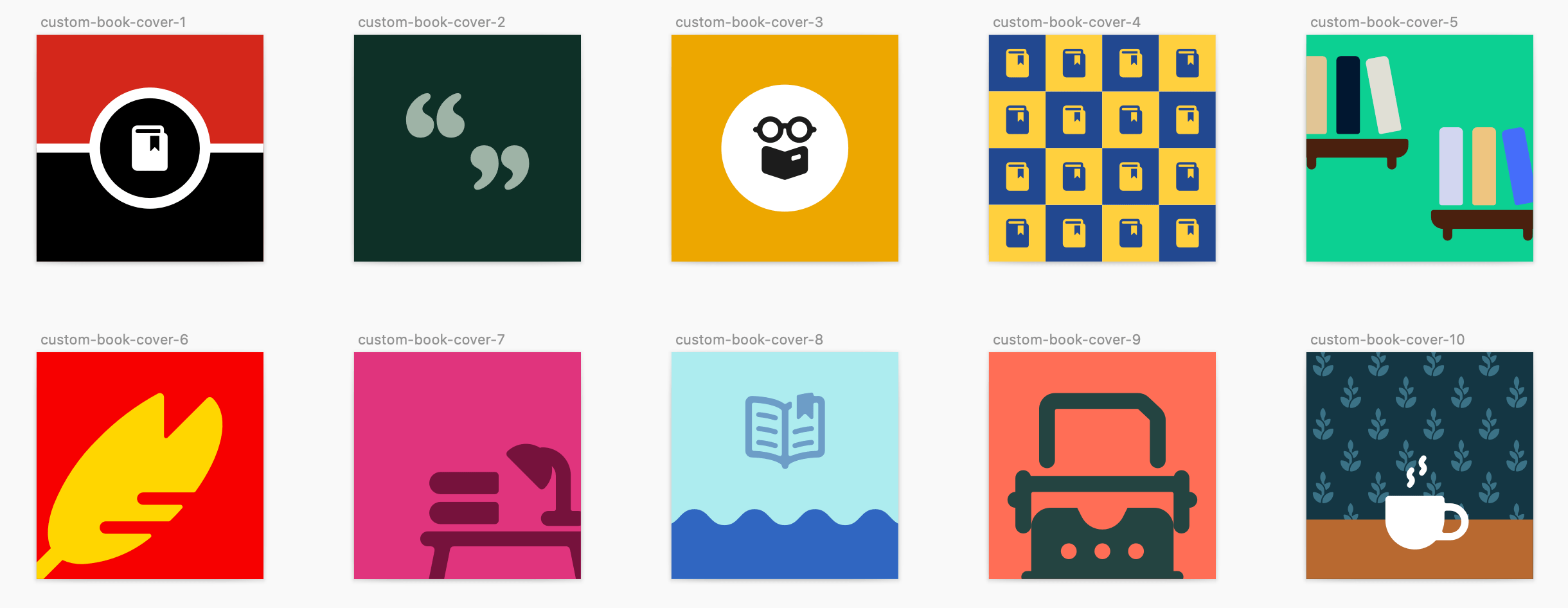
My second attempt was better. I made a series of custom-designed cover images. This was making custom items feel like first-class citizens, but it had a scaling problem. I would need to create em>

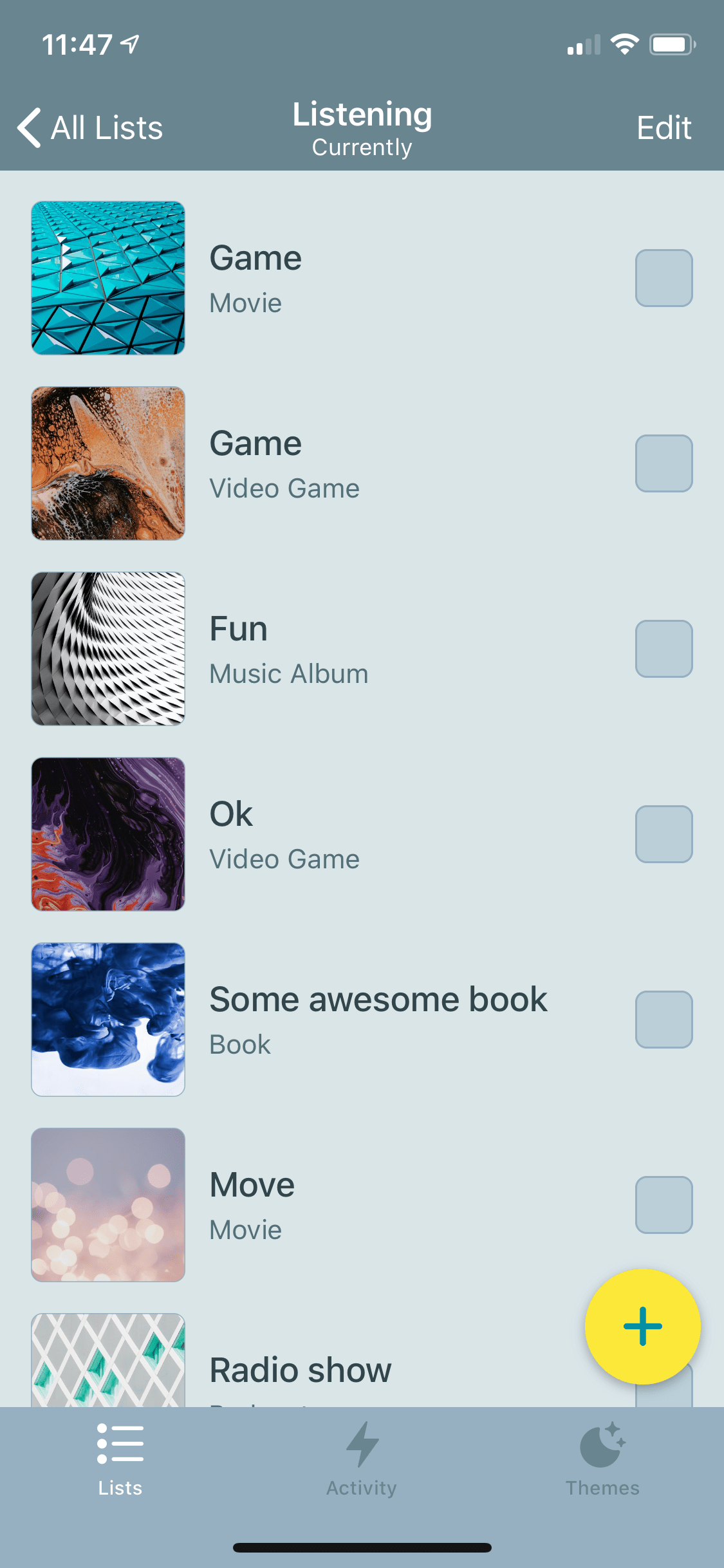
The third time is the charm. I remembered that apps like Notion and Trello integrate with Unsplash to pull in beautiful images. Turns out the a href="https://unsplash.com/developers">

The results are pretty great. The images from Unsplash are super high quality and feel right at home in the app.

All of this combined adds some much-needed power to Sofa. All without adding additional complexity.

Up Next

I’m still digesting all the new stuff from WWDC, but a plan for what I’ll focus on this summer is slowly forming.

If you haven’t yet, go a href="https://itunes.apple.com/app/id1276554886">

Avatar
Shawn Hickman Sep 7, 2019

In iOS 13, people will be able to choose a light or dark “theme” that will apply system wide. Regardless of what you think about dark mode, apps that don’t adopt this will stick out like a sore thumb.

Luckily, Sofa already has a dark mode, but I needed to integrate it into these new appearance settings.

Since I have themes in Sofa, and plan to add many more, it’s not quite as simple as just following the system appearance settings. What if the user’s system theme is set to “light”, but they specifically want “dark” in Sofa? I need to provide the option of following or ignoring the system settings.

The Logic

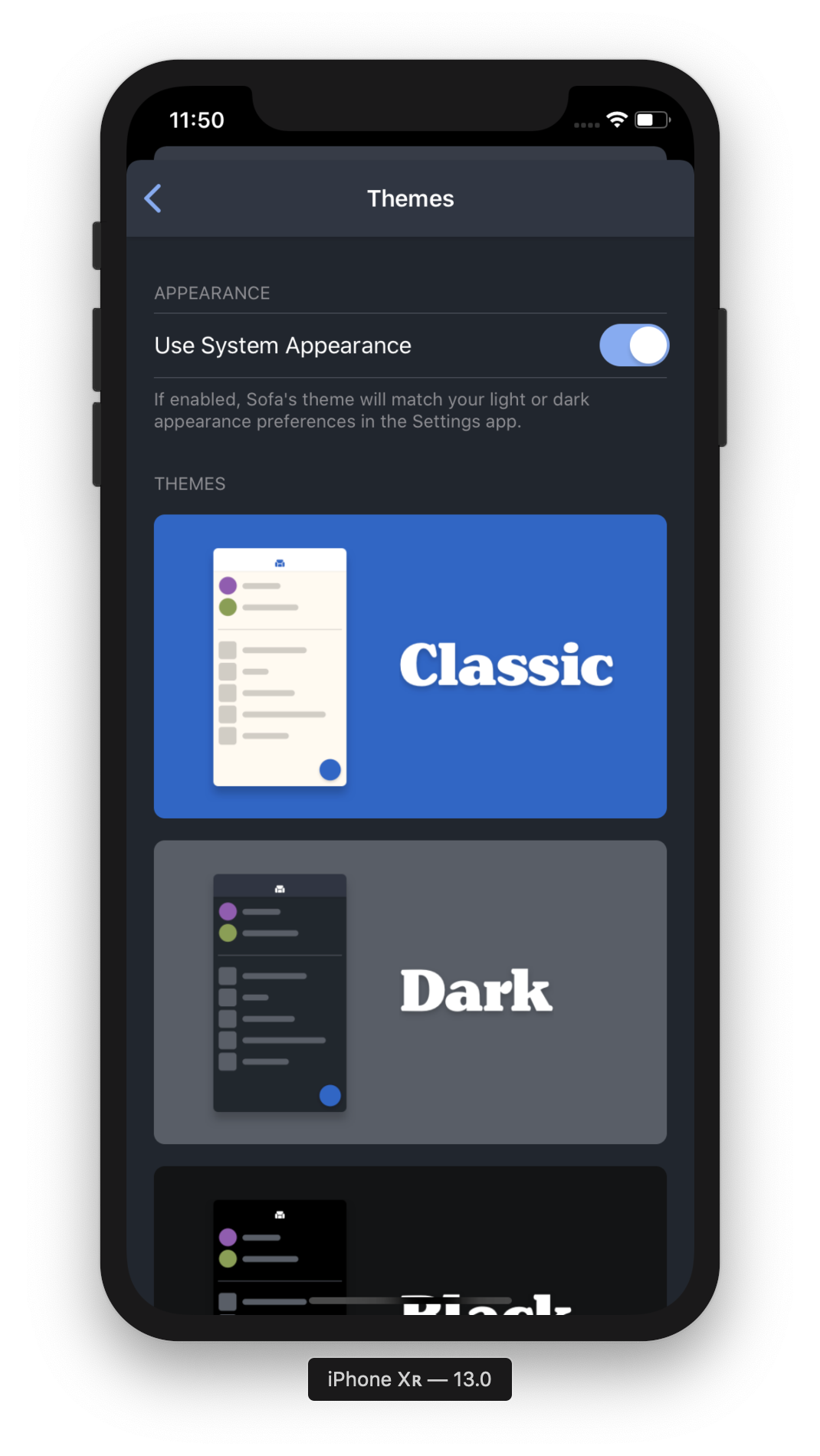
I added a setting in the Sofa themes view that either follows or ignores the user’s system appearance. By default, this is on.

If the setting is On

If it’s on, Sofa will follow the user’s system appearance settings. There are some nice benefits to this too. The one I like is having your appearance settings follow sunrise and sunset.

If the setting is Off

The setting can be turned off two ways…

User turns the setting off

If the user manually turns this setting off Sofa will no longer follow the system appearance settings and will retain whatever current theme is applied.

User manually selects a theme

If the user manually changes their Sofa theme while this setting is on, the selected theme will be applied and the setting will be turned off.

The assumption I’m making here is that the user wants a specific theme to always be applied and no longer wants to follow the system appearance settings.

Settings UI and language

Apple calls the new themes “appearance” settings, not dark mode. This makes sense since you can choose between light and dark.

The thing I need to make clear is the difference between iOS System and Sofa settings. When I say “system settings” is it clear I’m talking about your phone’s system-wise settings? I em>

The best course of action may be to follow the Settings app language call this “Appearance”.

Ok, now what about the switch label? Since a UISwitch is a true or false control, the label is kind of a mix between a question and statement. Here’s some options I’m thinking about:

I’m leaning towards “Use System Appearance” because it’s not specific to a specific light or dark appearance, and it’s a concise question/statement.

In case this isn’t clear enough, I’m adding some helper text.

If enabled, Sofa’s theme will match your light or dark appearance preferences in the Settings app.

Combined this should be clear to people how this settings works and what to expect when it’s on or off.

Avatar
Shawn Hickman Apr 21, 2019

Sofa was suffering from a tight-coupling problem between view controllers. I discovered this while trying to refactor my massive controllers. I stumbled upon the coordinator pattern, which ended up being a great solution.

A quick note

I’m a beginner when it comes to iOS development, and the coordinator pattern is an advanced one for me. I struggled with things that more experience developers would find trivial. There were moments where I thought I may have bitten off more than I could chew, but in the end it all worked out. I ended up learning a lot and improving the quality of Sofa.

The Problem

For 2019, I’m working on some pretty large features for Sofa and thought I better clean things up before diving in. I was running into the issue of tight-coupling while refactoring my ViewControllers.

Up to this point, I’d been using segues to handle navigation flow. This wasn’t a problem until recently. I wanted to fix my massive view controller problem, but having tight coupling between my ViewControllers was making this incredibly difficult. Luckily, Paul Hudson wrote about the a href="https://www.hackingwithswift.com/articles/71/how-to-use-the-coordinator-pattern-in-ios-apps">

After a quick read, it looked like the Coordinator pattern would solve my tight-coupling issues. So I dove into implementing it.

The Outcome

The coordinator pattern has been successfully implemented and is live in a href="https://itunes.apple.com/app/id1276554886">

This completely fixed the tight-coupling issue that was holding a lot of improvements back. While I’m really happy with the results, there were plenty of tricky details that I struggled with.

Tricky Details

Child Coordinators

For the coordinator pattern to work, you need to have a single code>

I wasn’t initially sure when to make a child coordinator vs just adding it to code>

If a view controller needs to present (not push) another view controller, it should be its own child coordinator.

This worked fairly well and forced me to not over-think things.

Delegation

Delegation was something that I understood at a high-level, but struggled to grasp the details of. Halfway through implementing coordinators, I realized, “Oh, this is just delegation.” It was a nice “ah-ha” moment, and ended up giving me a deeper understanding of how delegation works.

Protocols

Similar to delegation, protocols were another area of mystery for me. Having to create the code>

I ended up making one adjustment to the code>

code>

Presenting Modal views

The main navigation flow for Sofa is handled by a subclassed navigation controller: code>

Pushing views with coordinators was no issue, but I was getting stuck on how to present views modally. Luckily a href="https://twitter.com/oliverpfeffer">

Let’s look at the code>

First, we make it conform to the code>

code>

Next, we want to add a private var for the settings navigation controller. This will be used to push other views into this navigation controller.

private var settingsNavController: UINavigationController?

Finally, we put it all together in code>

code>

This may look simple, but in the moment I was incredibly confused 🤪

Removing views from memory

This is the most tedious and manual part of using coordinators. You need to make sure you’re removing the child coordinators you’ve created from memory. Since I had a few levels of child coordinators it took a lot of mental effort to implement and test. Overall, the effort was worth it for the final result.

Removing Unwinds

The amount of unwinds I was using prior to coordinators was tragic. SO. MANY. UNWINDS. In the end, most of the unwinds were resolved by using delegates instead. YAY for learning more about delegation!

Summary

I’m glad I invested the time to implement coordinators in Sofa. Overall, it took me about two months (6 hours per week) to complete. Sofa is now in a better position to handle more complex features, and it taught me more about key iOS concepts: delegation and protocols. Wins all around.

Resources That I Couldn’t Have Done This Without

Avatar
Shawn Hickman Sep 6, 2018

I go over the reasons for making Sofa a free app.

Avatar
Shawn Hickman Aug 14, 2018

I try to get a button working. Yes. A button.

Avatar
Shawn Hickman May 19, 2018

I conducted research on the Sofa App Store page. I also discuss the process & tools used to conduct the research.

Avatar
Shawn Hickman Mar 11, 2018

A video showing you the process I went through to design Quick Add in Sofa.

Avatar
Shawn Hickman Dec 16, 2017

There’s a constant debate about whether or not designers should learn to code. While I’m happy to talk about that at length, I think it’s helpful to look at it from a different perspective.

What are you trying to accomplish? Are you trying to get a job, build up your resume, break into a new area of design, communicate better with devs? Learning to code really depends on what you want to accomplish.

In my case, I wanted to ship a product.

A Little Backstory

In 2015, I worked on the a href="https://medium.com/sofa-blog/sofa-1-0-is-here-73a37e19ce3c?ref=shawnhickman.studio">
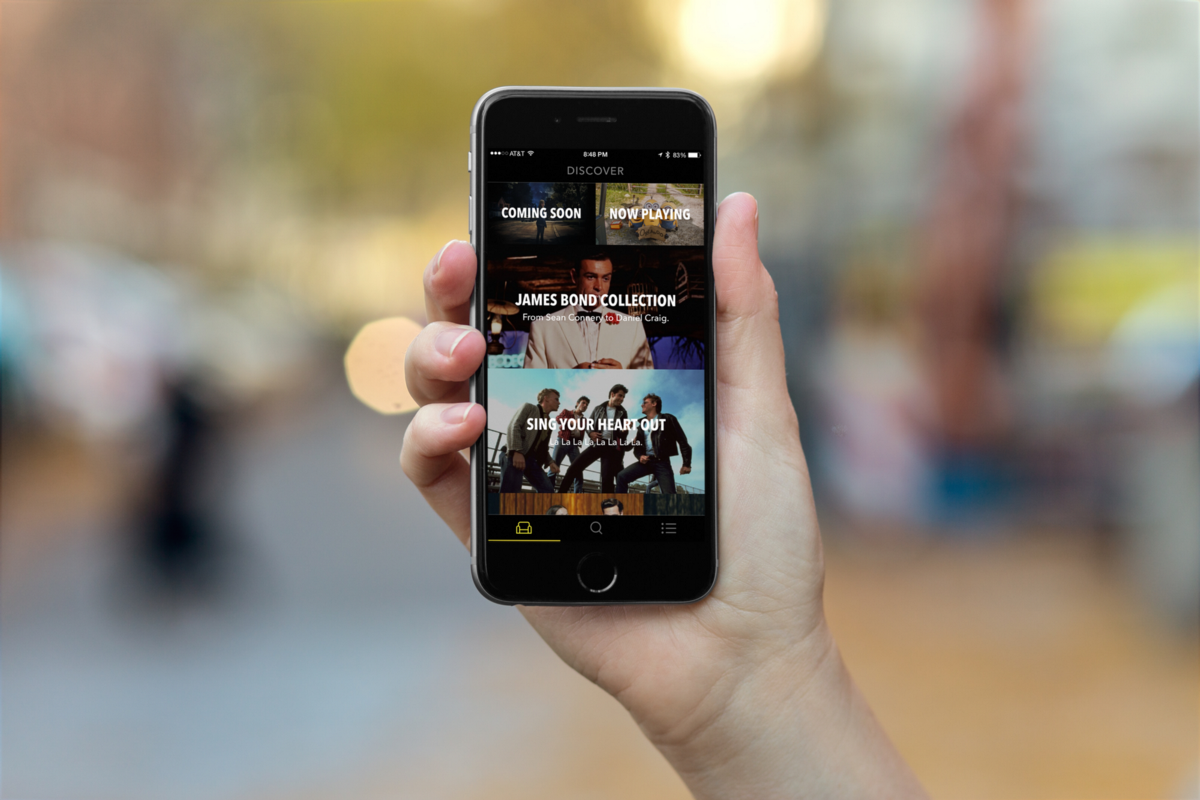
At this point I didn’t em>

Then life got in the way. This was a side project for all of us and we still had full-time jobs. The two devs got extremely busy and couldn’t work on Sofa at the same capacity. The app sat there not being updated and it was painful for me. I had tons of ideas based on user feedback to implement, but was powerless to do so. This was a big driver for me to learn how to code.

Starting with Framer

Like most designers, I had dabbled in HTML, CSS and a little Javascript. It wasn’t until I used a href="https://framer.com/?ref=shawnhickman.studio">
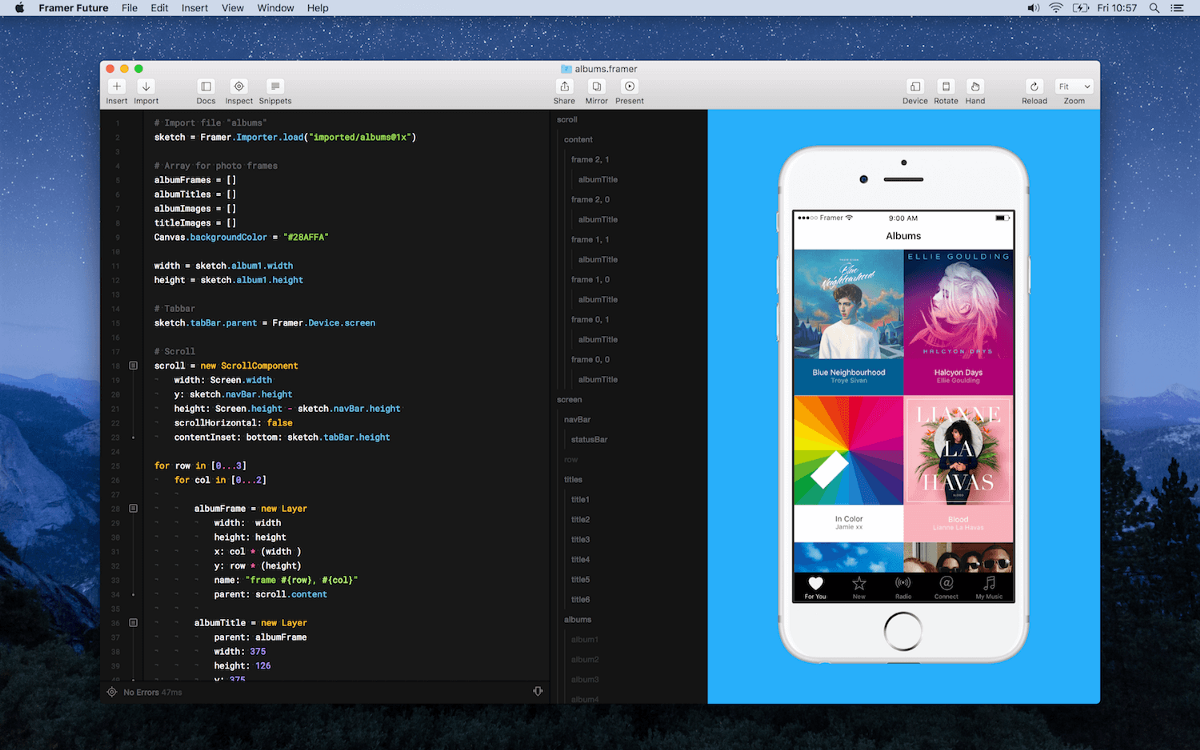
Framer is such an amazing tool for designers to learn how to code. Being able to see the results of your code em>

From there I dabbled a bit more in Javascript but my heart was always in native iOS apps.

Moving on to Swift

I had tried to learn iOS in the pre-Swift days, but Objective-C was difficult for me to digest. When Swift was announced, I immediately thought “Hey, I might be able to learn that.” I wasn’t sure, but it gave me a little confidence.

This is the hard part. There are many resources for learning iOS development, but most are pretty terrible. The teachers make too many assumptions about what the student already knows. This is true even for courses designed for beginners. They tell you how to do “X”, but never tell you that you also need to do “A, B & C”. It ends up being incredibly confusing, intimidating and demoralizing.

The single best resource I’ve used to get started learning iOS development was from a href="https://twitter.com/MengTo?ref=shawnhickman.studio">
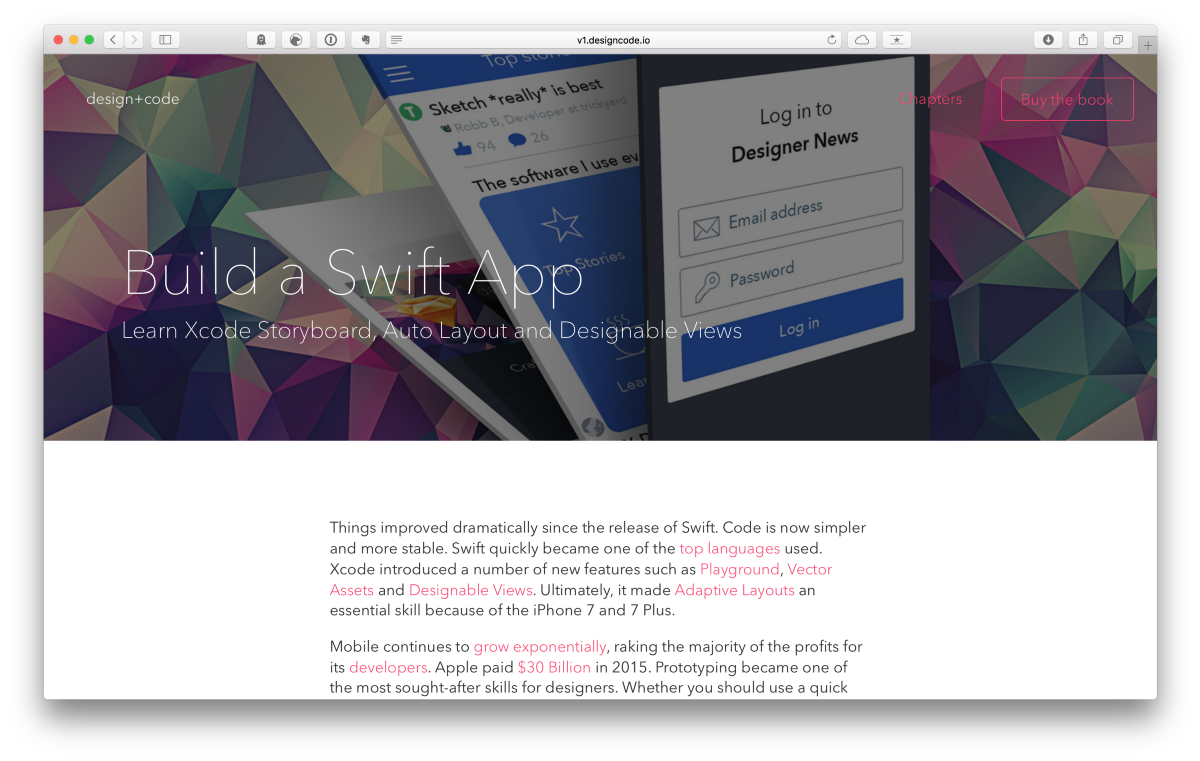
Design + Code taught me how to send data back and forth between views, change the design of the app with code and use Storyboards. Again, other courses do this, but they don’t explain it well to designers.

That course taught me the fundamentals of iOS development. From there I was able to explore and build a few prototypes. One was an early Sofa 2 prototype and the other was a collaborative whiteboard for iPads. I never finished either of them, but learned a ton in the process.

Building and Shipping Sofa 2.0 in 6 Months

In the summer of 2017, I got to the point where I couldn’t wait any longer to move Sofa forward. My teammates’ shedules were not letting up and it could be another year until they could contribute again. That’s when I decided to build 2.0 myself.

When I started I didn’t know exactly how I was going to do it, but I dove in and got started. I knew enough of the basics to get going.
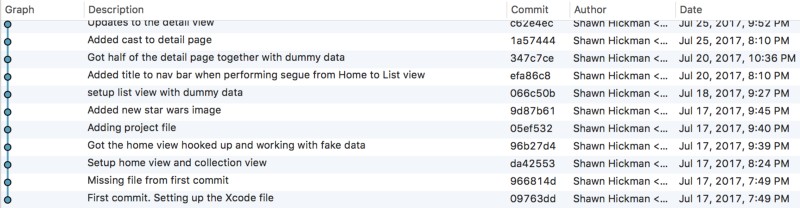
While building, there where two resources I used constantly: Stack Overflow and YouTube. Yes, YouTube. When you’re learning something new, reading about it isn’t always enough. Seeing someone solve the problem you have is incredibly helpful. That’s where YouTube shines. I would type in whatever I was trying to figure and then start watching. There are a few YouTube accounts that consistently taught me how to do things:

I am eternally grateful to these people for putting out great content that was easy to understand.
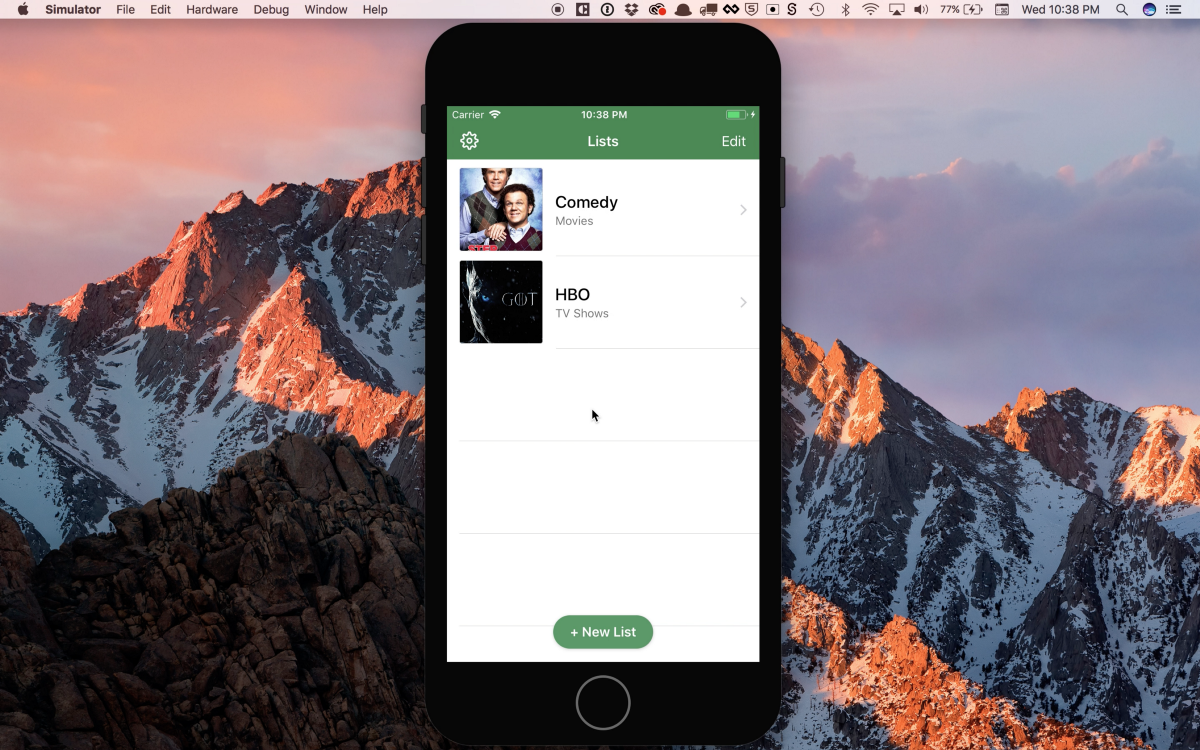
From July to September, I worked on getting the basic experience of the app functioning. Then from September to December I had beta testers to help test assumptions and refine the experience.

With every week that went by, I was gaining more confidence. There were a few tricky issues to figure out and a few things I was scared of, like Core Data, but overall it ended being fairly straightforward.

I ended up launching Sofa 2.0 on December 6, 2017. Technically a little less than 6 months, but I was never good at math anyway. It’s hard to describe the feeling of working on something for a long time and then sharing it with the world. It’s scary, exciting, humbling and most all…fun!

During this time, my good friend and Sofa teammate, a href="https://twitter.com/oliverpfeffer?ref=shawnhickman.studio">
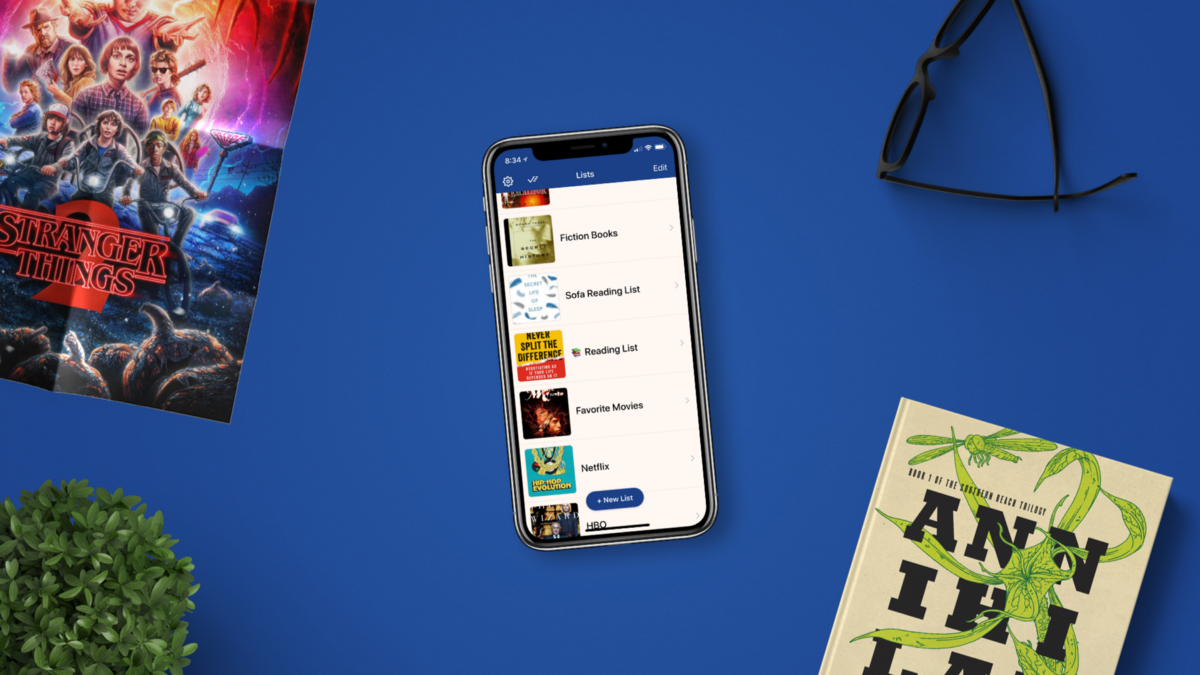
I didn’t do this alone

I am hyper aware that I didn’t and couldn’t do any of this alone. Framer taught me the basics of coding, Meng To taught me the basics of iOS development, and Stack Overflow, YouTube and Oli taught me deeper parts of iOS.

It’s not only the people who taught me code, it’s also the people who support me everyday. My wife, family, friends, co-workers, bosses, etc. I am extremely lucky to be surrounded by people who care about me and support my goofy passions. It’s something I never forget.

You can do this too

This isn’t just for designers, but for everyone. If you have a goal you’re driving towards, but currently lack the skills, don’t worry. Learning new things today is easier than at any other point in history. All you have to do is put in the time. It may not take as long or be as hard as you think 👍

If you’re interested in seeing the fruits of my labor, you can a href="https://itunes.apple.com/app/id1276554886?ref=shawnhickman.studio">

Avatar
Shawn Hickman Dec 16, 2015

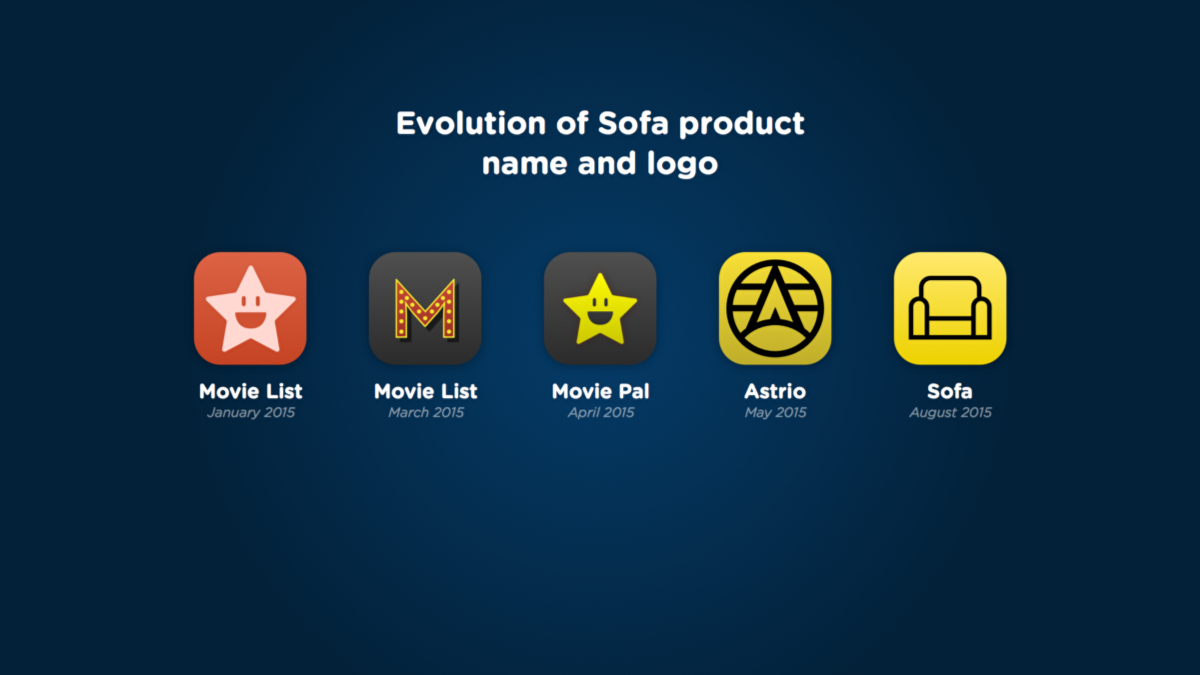
When we started working on Sofa, it was very different from what you see today. In fact, it wasn’t even called Sofa. It was called many things: Movie Night, Movie List, and Movie Pal just to name a few. I wanted to share a little bit of the story about how we got to Sofa 1.0.

When we started working on Sofa, it was very different from what you see today. In fact, it wasn’t even called Sofa. It was called many things: Movie Night, Movie List, and Movie Pal just to name a few. I wanted to share a little bit of the story about how we got to Sofa 1.0.

The Concept

Sofa was originally called em>

Then it became em>

Our First Builds

Once we felt like we had something interesting with em>

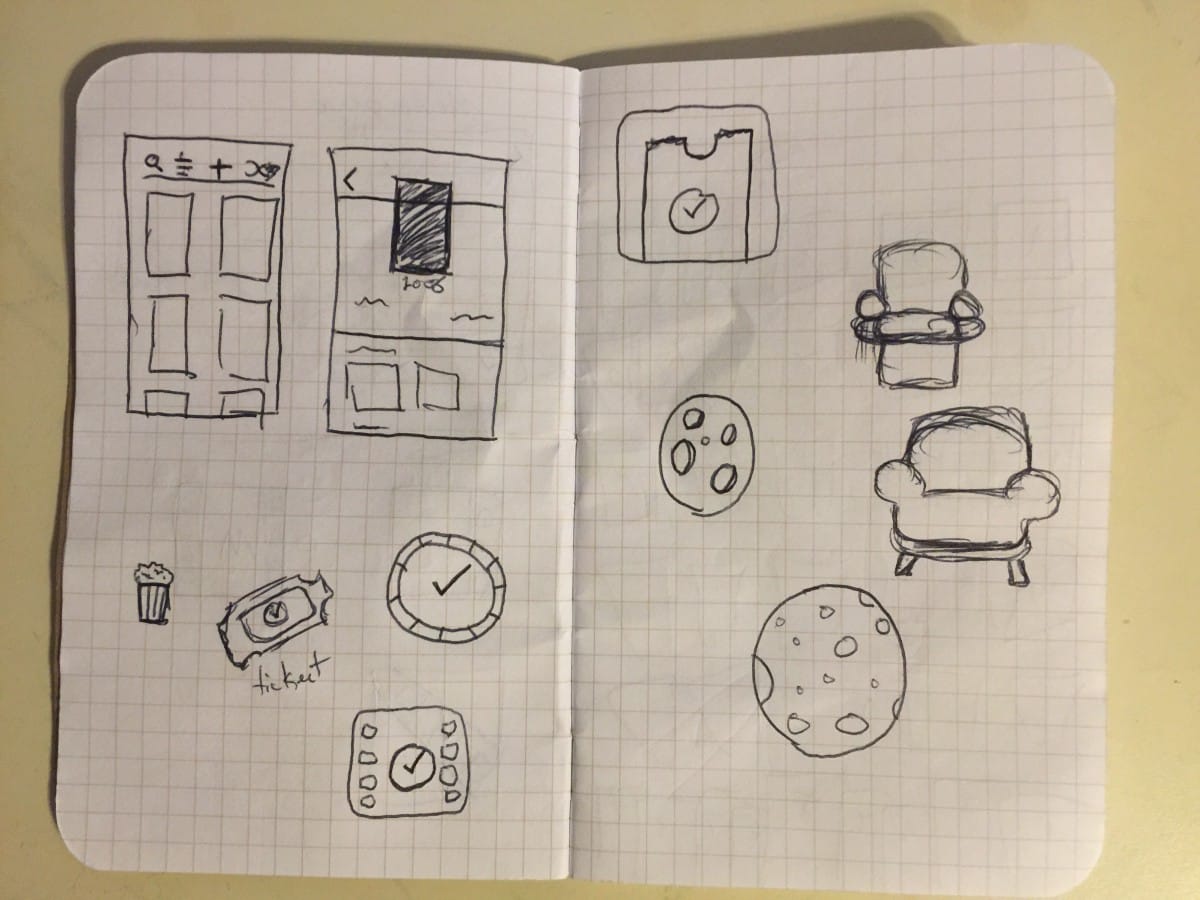
Early sketch of UI and icon ideas from Sep 2014

We kept the first fews builds to ourselves to test and refine. We wanted to see if the product was even interesting to us before we let others check it out. We liked it and invited family and friends to check it out.

Having other people use the app

Having other people use em>

At this point, em>

Evolution of the Sofa product name and logo

During the beta period we were constantly talking to and soliciting feedback from the testers. We slowly added new features that we didn’t originally intend to or think of, such as, a movie detail page, Discover section, people pages and sharing. We also fixed plenty of poorly designed workflows and bugs.

We were in beta for close to a year. While this may seem like a long time, keep in mind that we weren’t working on this full time. We all have day jobs and families to take of. Those em>

The beta period was extremely important for us. Not only to find bugs, but to shape the product. When something is so new, it’s hard to nail down what it really is or if it’s good for anything. The only way to figure that out is to get people using it.

Knowing when it’s time to launch

This was a tough one. There were a few times when I thought we were ready, but it turns out we weren’t. The moment I knew it was time to launch was when we were arguing over really minor features. The product was beyond good enough and we needed to see how more people would use it.

Post-Launch

Before launch, we had a product roapmap that stretched many releases into the future. This was dumb. We were planning where the product should go before people had even used it. While it was good for us to have ideas for new features, making hard plans was a waste of time.

We ended up totally revising our roadmap about a month after launch, and only planning a few releases into the future. This is good because we are able to make plans based on feedback, be more flexible to market changes, and focus on what really em>

The Importance of Getting Feedback

I can’t stress how important getting feedback was during this entire process. From the very early concept phase to the beta releases. Everyone’s feedback shaped Sofa into what is today and will continue to shape it in the future. If you are not constantly soliciting feedback for your work, it will never be as good as it could.

What did we learn?

strong>

strong>

strong>

Now what?

Ok, so we’ve shipped our 1.0. Now what? We have plenty of features in the pipeline, but we don’t want to plan too far ahead. This is all new to us. None of us has ever created a company or product before, so we are simply rolling with it. We are learning tons about product development, marketing, strategy, etc. We are probably going to screw up a lot, but man-o-man is this fun 😜

If you haven’t downloaded Sofa, you can grab it from the a href="https://appsto.re/us/Stz74.i?ref=shawnhickman.studio">